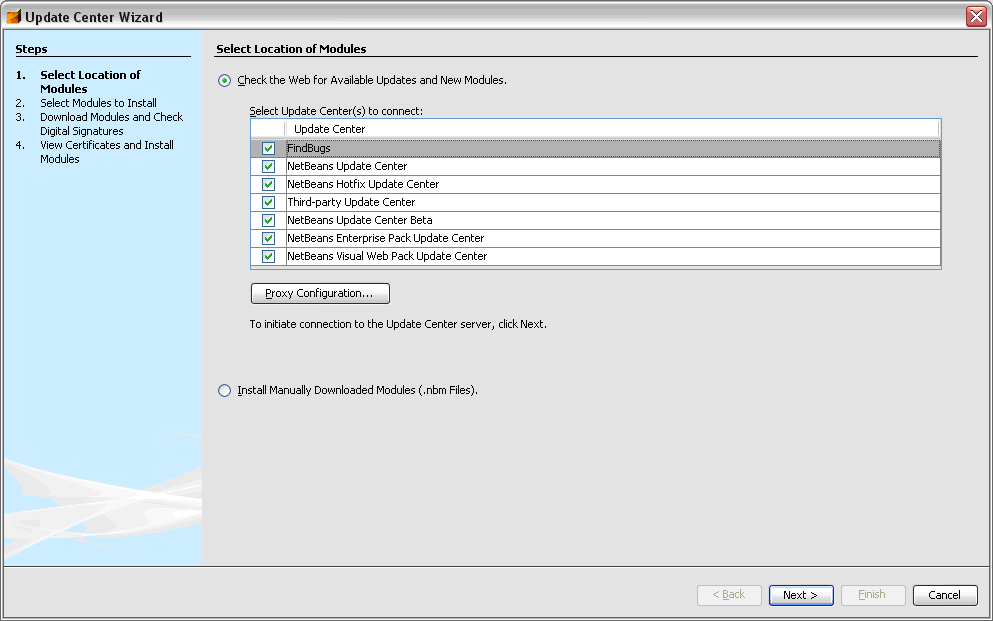
1. Start Nebeans 5.5 and go to the Tools --> Options --> Advanced Options (located on bottom left corner of Options screen)
2. Navigate to the IDE Configuration --> System --> Autoupdates Types item in the tree. See below

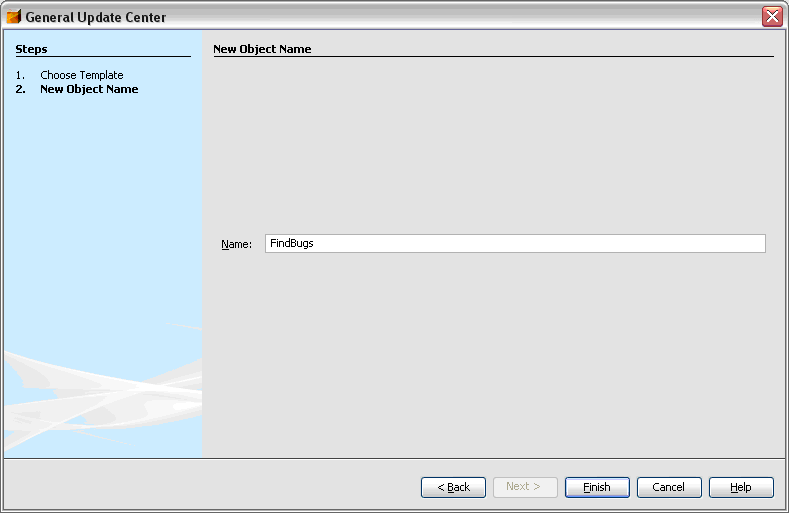
3. Right click on the Autoupdate Types item to bring up the context menu. Select New --> General Update Center. This will bring up the menu below. I named my update center FindBugs and pressed Finish. See Below.
 4. Click on the new FindBugs update center in the tree and change the Server URL entry to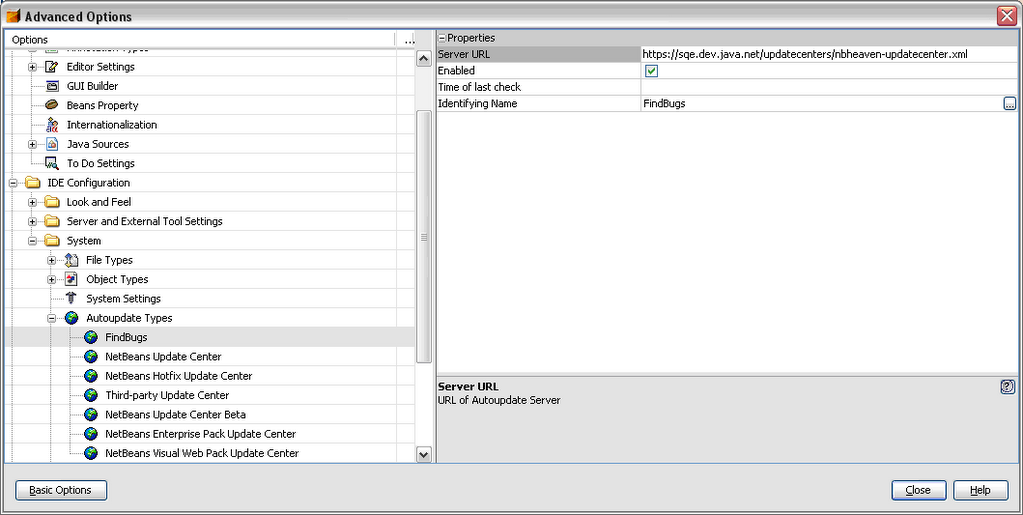
5. Close the window and you can now use the update center to install and update FindBugs