Cyndi Vasquez sent me this title a while back. I have been so bogged down that I finally got a chance to look at it. Thanks Murach... this is a good book.
The book is written in a style that many will either love, or hate. I personally am on the former. The pages on the left side are an explanation of the technical matter, and the right side are examples. The book is designed to guide you from front to back on an adventure into programming. Along the safari, I assure you will be pleased. The quarry is knowledge and this book is the tool to capture it.
The books is divided into five sections which will take you from absolute beginner to accomplished Servlet and JSP aficionado. It will even teach you a little about databases, and JSF along the way. There are two appendices that will show you how to set up your computer either Mac, or PC before you get started on your journey.
One of the thrills about this book is the use of NetBeans. I believe that NetBeans is the easiest tool for developing web based applications using Servlets and JSP. It also is my preferred tool for Java development in general. The book not only teaches you about the essentials of the title technologies, but helps you gain an in-depth knowledge of a valuable IDE that you can bank your career on.
Section one covers the basics of the technology and the MVC pattern. This is followed by a crash course on HTML, CSS, and web technologies based on Java. The 8th chapter on EL is a great reference for how to use this important technology in your web applications.
Section three covers essential database skills to get you started with web development. These skills are the bare minimum to get started, but are complete for the purpose of this book. Keep in mind, these are the basics.
Section four is the meat of the book. This covers the advanced Servlet and JSP skills. It also covers some additional technologies like JSF. My favorite parts of this section are chapters 18, 19, and 20. The HTTP Request and Response skills are something every developer should strive to make sure they understand. Chapter 19 covers listeners which are truly your friends. Chapter 20 covers another often misused, abused, and otherwise fantastic technology. The filter can make your life as a web developer a great pleasure, or a rabbit hole in which you feel like Alice in Wonderland.
The final concluding section five puts all of the pieces together in a Music Store website. The Music Store website uses most of the technologies covered, and takes the learner to the next level with clear and concise directions.
Overall this is a great book for anyone interested in learning about Servlet and JSP technology. Please keep in mind that all Java web technologies are based on the Servlet foundation. JSF is nothing more than a veneer on top of this technology as an example.
Showing posts with label books. Show all posts
Showing posts with label books. Show all posts
Sunday, September 06, 2015


Sunday, February 26, 2012
Book Review: EJB 3.1 Cookbook
I had the great opportunity to review the EJB 3.1 Cookbook by Richard M. Reese from Packt Publishing. The book provides a number of simple "recipes" for getting specific tasks accomplished in a compact and simple way. I thoroughly enjoyed reading the book. Admittedly it much easier to read a cookbook than some other technical content.
The content is divided into 12 chapters with numerous recipes per chapter. The topics range from an introduction to EJBs to web services. Each section generally has six to eight recipes. Each recipe is easily digestible with a minimum amount of EJB knowledge to start with. Keep in mind, this book will be easy to use if you have a minimum level of experience. Some recipes are sufficiently simple enough for a beginner.
The book will guide a novice to become a practitioner though expertly done examples. Advanced topics are covered in a way to make them seem simple. The practitioner will begin to become an expert.
As a general rule, I would not recommend anyone to read a cookbook from cover to cover. This applies to a "real" cookbook as well. However, if you are trying to get a deeper understanding of the EJB as a tool, then reading the book will at least add these recipes to your toolbox to draw upon when needed.
There are a number of important facts that a developer should keep in mind. These kernels of truth are what makes the difference in a book, and a reference. This manuscript is filled with a number.
In Chapter 2, there is a very succinct explanation of write locks.
Chapter 4 on EJB persistence includes a recipe on validating null and temporal fields. The
Chapter 6 on Transaction Processing is a really well thought out section, and explains the differences between Container Managed Transactions (CMT) (default), and Bean Managed Transactions (BMT). This is a must read for anyone doing anything beyond simple transactions. The explanation on the limitations of BMT are very important to consider. The chapter explains the transaction annotations to a level that I have not really seen in other books. The recipes (examples) are very clear, and make the concepts much easier to understand. For example:
The chapter on EJB security mentioned a feature in GlassFish which I think is very cool, and only requires checking a check box to enable. The feature is Default Principal to Role Mapping. This allows you to avoid having to generate a XML deployment configuration files to map the roles from the Web/EJB application to roles defined in a realm on the server.
The chapter on Interceptors provides a number of good use case examples where interceptors really shine. I really liked this chapter and the explanation of annotations for use with interceptors like
If I had a single complaint about the book, it would be chapter ten on Web Services. It has a couple of recipes, but not nearly enough. Web services play a major role in EE today; especially JAX-RS. The lack of a number clear examples is a missed opportunity.
Overall I found the book to be really well done, and I would gladly keep it as a reference for myself, and team. I would give it (4/5) stars. It is well written and worth purchasing.
by Richard M. Reese from Packt Publishing. The book provides a number of simple "recipes" for getting specific tasks accomplished in a compact and simple way. I thoroughly enjoyed reading the book. Admittedly it much easier to read a cookbook than some other technical content.The content is divided into 12 chapters with numerous recipes per chapter. The topics range from an introduction to EJBs to web services. Each section generally has six to eight recipes. Each recipe is easily digestible with a minimum amount of EJB knowledge to start with. Keep in mind, this book will be easy to use if you have a minimum level of experience. Some recipes are sufficiently simple enough for a beginner.
The book will guide a novice to become a practitioner though expertly done examples. Advanced topics are covered in a way to make them seem simple. The practitioner will begin to become an expert.
As a general rule, I would not recommend anyone to read a cookbook from cover to cover. This applies to a "real" cookbook as well. However, if you are trying to get a deeper understanding of the EJB as a tool, then reading the book will at least add these recipes to your toolbox to draw upon when needed.
There are a number of important facts that a developer should keep in mind. These kernels of truth are what makes the difference in a book, and a reference. This manuscript is filled with a number.
In Chapter 2, there is a very succinct explanation of write locks.
A write lock does not permit concurrent access to a method. Once a client begins executing a method marked with a write lock, no other clients are permitted access to the method until the method invocation completes. Other clients are blocked. This is the default concurrent behavior of singletons.This is a very important default behavior and should be kept in the developers mind when working with singletons. This default behavior means that you don't have to synchronize within singleton methods unless you change this default behavior. This is a great example of what you can find in this book.
Chapter 4 on EJB persistence includes a recipe on validating null and temporal fields. The
@Null annotation is mentioned which validates that a field is null. I am not sure I am convinced of the usefulness of this particular annotation, as opposed to the @NotNull annotation which has more direct usefulness. The @Future and @Past annotations are really helpful. These simple annotations have removed a lot of boiler plate code, and made the check of a date much simpler to understand.
Chapter 6 on Transaction Processing is a really well thought out section, and explains the differences between Container Managed Transactions (CMT) (default), and Bean Managed Transactions (BMT). This is a must read for anyone doing anything beyond simple transactions. The explanation on the limitations of BMT are very important to consider. The chapter explains the transaction annotations to a level that I have not really seen in other books. The recipes (examples) are very clear, and make the concepts much easier to understand. For example:
There are a few restrictions on the use of transaction attributes. First, the REQUIRED attribute can not be used for methods of web service endpoints. This is because the caller of the endpoint has not started a transaction and the since the REQUIRED attribute requires one, it will fail.This is very well written and explains the concept, and gives reasons why this will not work.
The chapter on EJB security mentioned a feature in GlassFish which I think is very cool, and only requires checking a check box to enable. The feature is Default Principal to Role Mapping. This allows you to avoid having to generate a XML deployment configuration files to map the roles from the Web/EJB application to roles defined in a realm on the server.
The chapter on Interceptors provides a number of good use case examples where interceptors really shine. I really liked this chapter and the explanation of annotations for use with interceptors like
@ExcludeClassInterceptors and the differentiation between class and method interceptors. The explanation on interceptor chaining is one of the easiest explanations I have seen.If I had a single complaint about the book, it would be chapter ten on Web Services. It has a couple of recipes, but not nearly enough. Web services play a major role in EE today; especially JAX-RS. The lack of a number clear examples is a missed opportunity.
Overall I found the book to be really well done, and I would gladly keep it as a reference for myself, and team. I would give it (4/5) stars. It is well written and worth purchasing.
Wednesday, February 08, 2012
Book Review: Murach's Java Programming 4th Ed.
I recently had the pleasure to read and examine Murach's Java Programming 4th Ed. Joel Murach does a good job of producing training and reference manuals for a variety of Java technologies. This is no exception.
The book focuses on Java 7 Standard Edition, but does include a number of other features which were added in Java 5 and Java 6 for completeness.
One of the things I really like is that it uses NetBeans as the IDE to teach Java to the next generation of programmers. A lot of books on Java focus on the language itself. This would have the appearance that an IDE plays no role in learning Java. Any professional programmer will tell you that an IDE is absolutely essential in making you more productive. Joel's choice of NetBeans as a tool to teach Java with demonstrates its ease of use with beginners. Chapter 1 is dedicated to getting the new programmer up to speed with NetBeans.
The book offers educators and trainers optional support materials for teaching. This thoughtful approach to education is vital for anyone teaching Java.
The layout and examples are designed to get the programmer up to speed on the topic being covered. A typical example of the layout is to have textual material on the left-side page with examples on the right. This allows you to read the material, and refer to the actual code examples. The book layout makes it easy to teach and learn. You are not left reading a volume of material without any code examples to make the essential points. This is a real benefit to the reader.
In addition, the book is developed with exercises to get the beginner involved. The exercises are based on the material learned in the chapter. The example exercises follow a common theme throughout the book allowing you to build on top of the information learned in the previous chapters. This common thread keeps you engaged through the book to see how the different topics tie the applications together.
Overall I would highly recommend the book to anyone looking to learn Java 7, or update their skills. I would give it (4/5) stars.
Chapter 5 mentions a best practice which is often overlooked. The practice is to add any custom exceptions to the package in which classes are likely to throw them. Often I find that the exceptions are in a package.exception package. This may be a good design if there is a general hierarchy for using the exceptions in multiple sub-packages, but generally is not the case.
Chapter 7 describes a relationship between a class and its instance. The description is eloquent and worth repeating.
Chapter 8 has a discussion on the use of final. The point to be made is that if you declare a class final, all of its methods automatically become final implicitly.
Chapter 10 on nested classes really does a good job of explaining the requirements and limitations of nested classes. There are a couple of exam type gems like an inner class can not contain any static methods, or variables, and a static class can only reside inside another class.
In chapter 11, there was a remark about using
Chapter 19 is the best tutorial on StAX I have seen. It is simple and easy to follow. After reading the chapter, I will go back and look at StAX when I need this kind of low level XML handling.
Chapter 20 covers Apache Derby (JavaDB). It does a good job of explaining the basics, and gives some implementation recommendations. My only gripe is that the author fell into the Oracle trap of claiming that it is not an enterprise capable database. This is simply not true as borne out from my own experience.
If there is a weakness in the book, it has to do with Chapter 22 on Threads. The chapter does not cover this important topic in enough details. It also does not mention the Java Concurrency Library which has been standard since JDK 6, and handles a lot of the issues with direct thread programming. This chapter should be updated.
This will work without being in a public class.
Figure 12-2 Common Collection Classes.
The statement that a HashSet requires that classes to implement a hashcode is incorrect.
Chapter 12 (Page 384) 2nd Para. incorrectly states the two queue methods as push and pull. The pull method does not exist, and was likely supposed to be pop. There are actually three from the
The book focuses on Java 7 Standard Edition, but does include a number of other features which were added in Java 5 and Java 6 for completeness.
One of the things I really like is that it uses NetBeans as the IDE to teach Java to the next generation of programmers. A lot of books on Java focus on the language itself. This would have the appearance that an IDE plays no role in learning Java. Any professional programmer will tell you that an IDE is absolutely essential in making you more productive. Joel's choice of NetBeans as a tool to teach Java with demonstrates its ease of use with beginners. Chapter 1 is dedicated to getting the new programmer up to speed with NetBeans.
The book offers educators and trainers optional support materials for teaching. This thoughtful approach to education is vital for anyone teaching Java.
The layout and examples are designed to get the programmer up to speed on the topic being covered. A typical example of the layout is to have textual material on the left-side page with examples on the right. This allows you to read the material, and refer to the actual code examples. The book layout makes it easy to teach and learn. You are not left reading a volume of material without any code examples to make the essential points. This is a real benefit to the reader.
In addition, the book is developed with exercises to get the beginner involved. The exercises are based on the material learned in the chapter. The example exercises follow a common theme throughout the book allowing you to build on top of the information learned in the previous chapters. This common thread keeps you engaged through the book to see how the different topics tie the applications together.
Overall I would highly recommend the book to anyone looking to learn Java 7, or update their skills. I would give it (4/5) stars.
Chapters
Chapter 3 has a great section on using BigDecimal and arbitrary precision arithmetic. I really liked the explanation and examples. Although BigDecimal was added in 1.4.2 it is not used as much as it should, and this gives it a little press.Chapter 5 mentions a best practice which is often overlooked. The practice is to add any custom exceptions to the package in which classes are likely to throw them. Often I find that the exceptions are in a package.exception package. This may be a good design if there is a general hierarchy for using the exceptions in multiple sub-packages, but generally is not the case.
Chapter 7 describes a relationship between a class and its instance. The description is eloquent and worth repeating.
"Once an instance of a class is created, it has an identity (a unique address) and a state (the values that it holds). Although an object's state may change throughout a program, its identity never does."This is a beautiful explanation of OO programming relationships between a class and instance.
Chapter 8 has a discussion on the use of final. The point to be made is that if you declare a class final, all of its methods automatically become final implicitly.
Chapter 10 on nested classes really does a good job of explaining the requirements and limitations of nested classes. There are a couple of exam type gems like an inner class can not contain any static methods, or variables, and a static class can only reside inside another class.
In chapter 11, there was a remark about using
Arrays.sort(Object[]) to sort an array. It mentioned that the objects must implement the Comparable interface. I thought that it would "naturally order" without it. I was wrong. I validated that specific case. Even an old dog can learn new tricks.Chapter 19 is the best tutorial on StAX I have seen. It is simple and easy to follow. After reading the chapter, I will go back and look at StAX when I need this kind of low level XML handling.
Chapter 20 covers Apache Derby (JavaDB). It does a good job of explaining the basics, and gives some implementation recommendations. My only gripe is that the author fell into the Oracle trap of claiming that it is not an enterprise capable database. This is simply not true as borne out from my own experience.
If there is a weakness in the book, it has to do with Chapter 22 on Threads. The chapter does not cover this important topic in enough details. It also does not mention the Java Concurrency Library which has been standard since JDK 6, and handles a lot of the issues with direct thread programming. This chapter should be updated.
Errata
Figure 2-5 Statements that mix int and double variables. The first example requires a cast to int.int result9 = (int) invoiceTotal / invoiceCount;Figure 9-1 Example 1 should reflect the current Java design principles. All methods of a public interface are public and abstract.
public interface Printable {
void print();
}
Figure 9-1 Description bullet #3 should readA classs that implements an interface must provide an implementation for each method defined by the interface, or the class must be declared abstract.Figure 10-8 Bullet #2 is incorrect. A nested class does not need to be enclosed in a public class of the same file name as the public class. For example X.java could contain the following code:
class P {

    Q q;

    P() {
        q = new Q();
    }

    public Q getQ() {
        return q;
    }

    class Q {

        void print() {
            System.out.println("I am inside P");
        }
    }
}
This will work without being in a public class.
Figure 12-2 Common Collection Classes.
The statement that a HashSet requires that classes to implement a hashcode is incorrect.
Chapter 12 (Page 384) 2nd Para. incorrectly states the two queue methods as push and pull. The pull method does not exist, and was likely supposed to be pop. There are actually three from the
Queue<E> interface of note: offer(E e), peek(), and poll.
Saturday, October 29, 2011
RESTful Web Services: DeliciousHttpClient Example
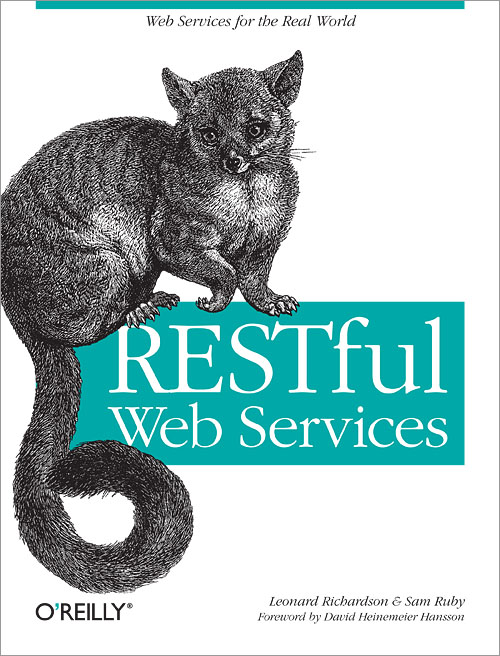
One such example is using Apache Commons HTTP Client. This particular framework is deprecated, and has been replaced by Apache HTTP Components.
The example code below demonstrates how to perform a RESTful call to del.ic.io.us to retrieve saved bookmarks. This is based on the application listed on page 35 of the book.
The Apache Maven based project can be downloaded here: delicious.zip.
DeliciousHttpClient.java
Sunday, August 14, 2011
Book Review: NetBeans IDE 7 Cookbook
I have had the opportunity to review NetBeans IDE 7 Cookbook by Rhawi Dantas from Packt Publishing. Let me start by saying that the title is misleading. Normally I expect a cookbook to provide solutions to common problems, or situations which are not normally covered elsewhere, e.g. documentation, or tutorials. This book should have been called NetBeans IDE 7 Tutorial.
Now that I have gotten past the title, I should be frank and say that the book is targeted for new NetBeans users. If you have been using NetBeans for more than a year, this book is not for you. Advanced NetBeans users will likely find very little information in the book for which they are not currently aware.
If you are a new NetBeans user, the book provides a good tutorial on the features in NetBeans. The "recipes" are very topical though. The NetBeans project has a number of great tutorials developed from members of the NetBeans team, and community contributors. A majority of these tutorials cover more details than are in the book. This is not to say that the book is bad, or poor, but does not cover the topics in as great details as some of the more targeted tutorials available.
I would give the book 3/5 stars for new NetBeans users, and 2/5 stars for advanced users. I gave the book a dual rating since I believe that there is valuable information for new NetBeans users, but it is less valuable for advanced users.
The chapter mentions that the Apache Ant scripts allow the project to be run outside of NetBeans. It also notes that Apache Maven applications are first class projects that the IDE can use without modification.
Conditional breakpoints (page 31) are mentioned, but does not cover how to configure, or use them. I was disappointed This is a really nice feature which developers should take advantage of.
The SwingX project mentioned on page 38 is actually at Swing Component Extensions. The book has a link to the old project location on Java.net.
On page 56, there is mention of properties one of which is Code. This was an opportunity for the author to provide a real cookbook answer. Alas, it was not meant to be. The author glances over the pre- and post- configuration parameters without an explanation.
The author also comments on the following page that JavaDB is not production quality. I would respectfully differ. Before becoming Apache Derby (JavaDB), it was a database product called Cloudscape from a company by the same name. It provides a great enterprise quality database which has a number of capabilities found in databases 10x its size. I think that the comment is completely without fact, or merit.
Page 62, has a set of typographical errors on item #2. It should read as follows:
The version on the page has guillemets instead of quotes.
Page 67 Step #4 should use EclipseLink instead of TopLink which is its replacement.
Page 81, uses the ojdbc14.jar. This is incorrect. It should use ojdbc6.jar.
One of my favorite things about this chapter is an example of writing a JUnit test for EJBs located on Page 105. This example is very well done, and demonstrates the power of using the embedded container.
The biggest disappointment is the coverage of JSF which is lackluster. There is more coverage of Apache Struts than JSF which is part of the EE specification.
Page 96 under WEB-INF mentions that the web.xml file is located here. This file is optional in Java EE 6, and may not be present. Also the picture shows a beans.xml file which is only present if Context and Dependency Injection (CDI) is being used. It is also optional.
Page 111 has a JSF coding error on &lt;h:panelGrid/&gt; which incorrectly uses rowClasses. It should be as follows:
Page 115, faces-config.xml is not required in JSF 2.0. The author spends a lot of time configuring the faces-config.xml file which is not required, or desired. All of this is handled by annotations. JSF developers take heed!
Page 117, under how it works mentions facelets templates which are not covered in this section, but subsequent section. This is entirely misplaced. Further, the explanation is the author's viewpoint, and is not required by the specification. The reasoning is relatively sound, but should be conveyed as opinion.
Page 127, the author missed the title of the book on NetBeans 7 and mentions Google Web Toolkit and its plugin which are available on NetBeans 6.8. Therefore it is irrelevant.
I am not sure when the author began writing the book, but currently there is a JavaFX 2.0 Beta SDK Plugin for NetBeans available.
All developers interested in JavaFX should be using the new plugin.
The recipe for doing a Stateful Session bean demonstrates its usage correctly, but fails to cover when and where you would want to use them.
RESTful web services (JAX-RS) are very popular right now. It seems like every time I look around, I find more applications taking advantage of it. The coverage here is simplistic. The reader is better off looking on the Jersey site, looking at this overview, or demo.
The explanation of Metro (JAX-WS) as a web client is well done, and the example using Google Maps is easy "eye candy".
I was able to create the CLDC application without issues, and run it as can be seen in the image.
I could not verify the Nokia S40 Toolkit since it works only on Windows.
The CDC environment is not available on Mac OS X. I could not verify the information as noted above. I don't use Windows.
The author should have skipped a comment at the beginning of the chapter about the techniques breaking some code. As with any refactoring tool, you could cause some code to break, but this puts a new developer on the defensive, and could cause them not to use the tools. This would be a real shame since the NetBeans tools are some of the best around.
Page 202, How it works has commentary about the folder name and project name should be the same. I totally disagree. You could call the folder ejbmailapplication, and then use the refactoring tools to rename the project EJB 3.x Mail Application which is much easier to read than a generic folder name.
This is a well done set of examples, but I feel most people would not use this information.
The section on creating JUnit tests explains how to use the IDE to create the tests, but does not cover any of the options that are available, and why you would choose to use them, or not.
The section on SQE is so short I feel it could have been skipped. SQE is a really good tool, but this cursory preview is not much to get you excited about it. I use it and PMD on a daily basis. If I didn't know more about it, I would believe that the author finds it mildly important. SQE can make you a better developer if you understand what it is telling you about the code.
The section on monitoring HTTP connections covers a lot more details than I have seen elsewhere and may be a gem in the rough. I had not played with "replay" and it was interesting.
JMeter should have been skipped. It is frivolous in coverage.
The coverage of Subversion is very well done. Every developer using NetBeans with SVN should read this chapter.
The second source control system is Mercurial. When Sun chose this for OpenJDK I was surprised. Until that point, I had never heard of it. The coverage here of this important SCM is very well done too. If you are using a distributed SCM like Mercurial, this section is a good read.
Please note that NetBeans supports Git and numerous other SCMs.

Now that I have gotten past the title, I should be frank and say that the book is targeted for new NetBeans users. If you have been using NetBeans for more than a year, this book is not for you. Advanced NetBeans users will likely find very little information in the book for which they are not currently aware.
If you are a new NetBeans user, the book provides a good tutorial on the features in NetBeans. The "recipes" are very topical though. The NetBeans project has a number of great tutorials developed from members of the NetBeans team, and community contributors. A majority of these tutorials cover more details than are in the book. This is not to say that the book is bad, or poor, but does not cover the topics in as great details as some of the more targeted tutorials available.
I would give the book 3/5 stars for new NetBeans users, and 2/5 stars for advanced users. I gave the book a dual rating since I believe that there is valuable information for new NetBeans users, but it is less valuable for advanced users.
Chapter Details
The book is divided into twelve chapters. It covers basic IDE usage to source control, and is logically divided into chapters based on functionality from basic IDE functions to technologies.Chapter 1 - NetBeans Head First
This chapter has the obligatory "Hello World" application example, and demonstrates some basic features of the IDE. The examples show how to create projects, import projects from Eclipse, and use Apache Maven projects.The chapter mentions that the Apache Ant scripts allow the project to be run outside of NetBeans. It also notes that Apache Maven applications are first class projects that the IDE can use without modification.
Chapter 2 - Basic IDE Usage
This chapter covers basic IDE functionality. The discussion is a good place to start for any new NetBeans developer. It is well done, and gives a good overview of the basic functionality.Conditional breakpoints (page 31) are mentioned, but does not cover how to configure, or use them. I was disappointed This is a really nice feature which developers should take advantage of.
Chapter 3 - Designing Desktop GUI Applications
This chapter starts off with as the author notes:One of the greatest strengths of NetBeans is the powerful Swing GUI Builder.I couldn't agree more. The Swing GUI building functionality has always been strong, and with each release it gets better.
The SwingX project mentioned on page 38 is actually at Swing Component Extensions. The book has a link to the old project location on Java.net.
On page 56, there is mention of properties one of which is Code. This was an opportunity for the author to provide a real cookbook answer. Alas, it was not meant to be. The author glances over the pre- and post- configuration parameters without an explanation.
The author also comments on the following page that JavaDB is not production quality. I would respectfully differ. Before becoming Apache Derby (JavaDB), it was a database product called Cloudscape from a company by the same name. It provides a great enterprise quality database which has a number of capabilities found in databases 10x its size. I think that the comment is completely without fact, or merit.
Page 62, has a set of typographical errors on item #2. It should read as follows:
Image image = resourceMap.getImageIcon("window.icon").getImage();
The version on the page has guillemets instead of quotes.
Page 67 Step #4 should use EclipseLink instead of TopLink which is its replacement.
 |
| EclipseLink JPA 2.0 |
Chapter 4 - JDBC and NetBeans
This chapter spends a majority of its space dedicated to setting up databases like MySQL, PostgreSQL, Apache Derby, and Oracle. The remainder of the chapter has an explanation of the SQL Editor. It is a nice introduction for beginners, and could serve as a primer.Page 81, uses the ojdbc14.jar. This is incorrect. It should use ojdbc6.jar.
Chapter 5 - Building Web Applications
This is my personal bread and butter. Swing applications are no where near the usage levels as Web based development using Java Enterprise Edition (EE).One of my favorite things about this chapter is an example of writing a JUnit test for EJBs located on Page 105. This example is very well done, and demonstrates the power of using the embedded container.
The biggest disappointment is the coverage of JSF which is lackluster. There is more coverage of Apache Struts than JSF which is part of the EE specification.
Page 96 under WEB-INF mentions that the web.xml file is located here. This file is optional in Java EE 6, and may not be present. Also the picture shows a beans.xml file which is only present if Context and Dependency Injection (CDI) is being used. It is also optional.
Page 111 has a JSF coding error on &lt;h:panelGrid/&gt; which incorrectly uses rowClasses. It should be as follows:
&lt;h:panelGrid columns="2"&gt;Page 114, the image shows an incorrect layout which has the Session Bean Package and JSF Classes Package listed as ejbs. These should be kept separate.
Page 115, faces-config.xml is not required in JSF 2.0. The author spends a lot of time configuring the faces-config.xml file which is not required, or desired. All of this is handled by annotations. JSF developers take heed!
Page 117, under how it works mentions facelets templates which are not covered in this section, but subsequent section. This is entirely misplaced. Further, the explanation is the author's viewpoint, and is not required by the specification. The reasoning is relatively sound, but should be conveyed as opinion.
Page 127, the author missed the title of the book on NetBeans 7 and mentions Google Web Toolkit and its plugin which are available on NetBeans 6.8. Therefore it is irrelevant.
Chapter 6 - Using JavaFX
This chapter is irrelevant since the functionality discussed is part of NetBeans 6.9.1. That said, it does provide a good learning path for what is available in NetBeans for JavaFX.I am not sure when the author began writing the book, but currently there is a JavaFX 2.0 Beta SDK Plugin for NetBeans available.
All developers interested in JavaFX should be using the new plugin.
Chapter 7 - EJB Application
This was a sample chapter that the publisher sent to me originally. The demonstration is well done, and serves as a nice accompaniment to my demonstration on Youtube of how to do some of the same things with JPA.The recipe for doing a Stateful Session bean demonstrates its usage correctly, but fails to cover when and where you would want to use them.
RESTful web services (JAX-RS) are very popular right now. It seems like every time I look around, I find more applications taking advantage of it. The coverage here is simplistic. The reader is better off looking on the Jersey site, looking at this overview, or demo.
The explanation of Metro (JAX-WS) as a web client is well done, and the example using Google Maps is easy "eye candy".
Chapter 8 - Mobile Development
I examined the section, but reserve some comments since I use Mac OS X and refuse to install Windows to use the kits mentioned. That being noted, the latest version of the Java ME SDK does work on Mac OS X. |
| CLDC Application Emulator and NetBeans 7.0.1 |
I was able to create the CLDC application without issues, and run it as can be seen in the image.
I could not verify the Nokia S40 Toolkit since it works only on Windows.
The CDC environment is not available on Mac OS X. I could not verify the information as noted above. I don't use Windows.
Chapter 9 - Java Refactoring
The author does a good job of explaining the refactoring tools in NetBeans in general. This is more complete than a number of publicly available tutorials. This would be a reason to buy the book. I really enjoyed this part of the book, and wished that the author would have provided even more examples. I liked it. The extracting a super class and interface examples are very nicely done.The author should have skipped a comment at the beginning of the chapter about the techniques breaking some code. As with any refactoring tool, you could cause some code to break, but this puts a new developer on the defensive, and could cause them not to use the tools. This would be a real shame since the NetBeans tools are some of the best around.
Page 202, How it works has commentary about the folder name and project name should be the same. I totally disagree. You could call the folder ejbmailapplication, and then use the refactoring tools to rename the project EJB 3.x Mail Application which is much easier to read than a generic folder name.
Chapter 10 - Extending the IDE
This chapter is dedicated to providing an example of how to extend the IDE to meet a specific need. The examples are contrived, but do demonstrate the ease with which you can extend NetBeans. The examples are simple and to the point.This is a well done set of examples, but I feel most people would not use this information.
Chapter 11 - Profiling and Testing
I found this chapter to be another missed opportunity by the author. The chapter starts out by showing the user how to perform a profiler calibration of JDK, It is followed by profiling an example application. The author does not provide any real depth to the profiling beyond the basics. There is not explanation, or what the information means. There are some obvious "hot" spots which are shown for exampleinitComponents() and startup() could have some discussion points.The section on creating JUnit tests explains how to use the IDE to create the tests, but does not cover any of the options that are available, and why you would choose to use them, or not.
The section on SQE is so short I feel it could have been skipped. SQE is a really good tool, but this cursory preview is not much to get you excited about it. I use it and PMD on a daily basis. If I didn't know more about it, I would believe that the author finds it mildly important. SQE can make you a better developer if you understand what it is telling you about the code.
The section on monitoring HTTP connections covers a lot more details than I have seen elsewhere and may be a gem in the rough. I had not played with "replay" and it was interesting.
JMeter should have been skipped. It is frivolous in coverage.
Chapter 12 - Version Control
This chapter covers two important source control systems. The first is Subversion which is probably the largest installed base worldwide. Every very large enterprise I have worked at has used it. I use it at home for code that I post on my blog.The coverage of Subversion is very well done. Every developer using NetBeans with SVN should read this chapter.
The second source control system is Mercurial. When Sun chose this for OpenJDK I was surprised. Until that point, I had never heard of it. The coverage here of this important SCM is very well done too. If you are using a distributed SCM like Mercurial, this section is a good read.
Please note that NetBeans supports Git and numerous other SCMs.
Additional Information
Additional information on the book, errata, and ordering information directly from Packt can be found here: http://www.packtpub.com/netbeans-ide-7-cookbook/bookFriday, August 05, 2011
Book Review: Java: The Good Parts
I had an opportunity to read Java: The Good Parts by Jim Waldo which was included in my Java 7 Launch Party Kit. I was not sure what to expect from the book. I was pleasantly surprised to discover it is a really good book.
There are a number of great quotes in the book which I will keep handy when I need to find a good code quote. Especially great were quotes to use with junior engineers.
The book covers a lot of history about decisions made in the Java language in the beginning, and how those decisions have evolved over time. The historical design decisions are still relevant today, and in some cases make the evolution of the platform more difficult. The idea that we must be able to run 1.0 Java code is rooted deeply in the language. The decision has caused a lot of legacy designs and constructs to remain in the code. Arguably, good, or bad depending on implementer, or implementation.
I was very happy to have been given the opportunity to read the book, and would give it 4/5 stars. It is a guide for senior developers to help mentor junior developers, and provides junior developers with answers to questions about why something was done a certain way in Java.
The introduction is more of a list of credentials for the author, and why we should consider him a subject matter expert. Jim certainly has the credentials to cover the topic being part of the early team on Java at Sun.
This now means that there is a difference between the compile time type of an Object and its run time type. It usually does not matter if you are not loading objects over the network, or not using multiple class loaders. If you do so, there can be consequences which should be considered. This is a sage piece of advice.
As noted, you will not notice most of the time if the Object is loaded by a common class loader. If they are loaded by different class loaders you will get a message telling you that the declared type is not the same as the run time type and are incompatible even though the source indicates they are the same.
There is another quote on page 34 about some code which is not abstracted, and checks for exceptions after every operation.
On page 36, Jim points out a common form of exception handling which I have seen far too often and should result in the aforementioned swatting with a paper.
I have seen too much of this, but this pattern is common in a try, catch, finally where you are closing a resource. This changes with Java 7 and try with resources.
The closing part of the chapter refers to the Dark Side. The discussion is focused on the evil of
Later there is an important discussion on examining the quantity of imports in a class. The more classes that are imported from another namespace may indicate an interconnection between the class, and the other namespace. This may indicate a design flaw, increased complexity, or lack of abstraction.
Later there is a discussion on finalizers and why you should avoid them as a programmer. The basic point is that the
I think that the
The author makes a very good recommendation: write the documentation for your interfaces first. The implementation classes simply need to inherit them.
Finally, the author concludes that Javadoc comment review is just as important as code review. I agree generally with the author, but I have found that the code changes over time, and often the Javadocs do not. So I take a position to not believe the Javadocs per se, and choose to use the force and read the source.
Additional information can be found in Java Generics and Collections by Maurice Naftalin and Philip Wadler (O'Reilly & Associates).
If you are looking at RMI, the author recommends using a security manager. Here is his quote on why:
Object serialization is an important part of Java development today. This is particularly true of applications which are running on an application container. I was surprised to discover something about serialization I had not considered before. When serializing an object, it makes an object graph of all the classes that are contained in the object so that when it is de-serialized, it matches state of the application as completely as possible. There are two key items to remember.
The best book which should be on all developer's bookshelves is: Java Concurrency in Practice by Brian Goetz (Addison-Wesley). It is a must have for anyone doing concurrent programming. Also consider Java Threads
 by Scott Oaks and Henry Wong. A good book too on the subject.
One interesting note is mentioning the
Atomic data types are mentioned along with an example. This is something that most programmers, I believe, forget about. These are thread-safe data types which should always be considered in concurrent programming. Thanks for the reminder, simple explanation, and example.

There are a number of great quotes in the book which I will keep handy when I need to find a good code quote. Especially great were quotes to use with junior engineers.
The book covers a lot of history about decisions made in the Java language in the beginning, and how those decisions have evolved over time. The historical design decisions are still relevant today, and in some cases make the evolution of the platform more difficult. The idea that we must be able to run 1.0 Java code is rooted deeply in the language. The decision has caused a lot of legacy designs and constructs to remain in the code. Arguably, good, or bad depending on implementer, or implementation.
I was very happy to have been given the opportunity to read the book, and would give it 4/5 stars. It is a guide for senior developers to help mentor junior developers, and provides junior developers with answers to questions about why something was done a certain way in Java.
Details
The book is divided into eleven chapters: Introduction, Type System, Exceptions, Packages, Garbage Collection, JVM, Javadoc, Collections, RMI and Object Serialization, Concurrency, and Developer Ecology. These are in the author's opinion some of "good" parts of Java.The introduction is more of a list of credentials for the author, and why we should consider him a subject matter expert. Jim certainly has the credentials to cover the topic being part of the early team on Java at Sun.
Chapter Two - Type System
The Type System is our first introduction to why the author feels this is a good part. The explanation has some historical perspective and is backed up with code. The real gem for me occurs under the topic A Real Problem where Jim has an interesting and insightful set of remarks. Jim explains a change in the class loading mechanism that was a response to a potential security issue which was discovered early on in Applet security. The issue was sharing of static variables across applets in a shared VM space. The fix was to ensure each applet was loaded by its own class loader. Also the run time type of an object would now be determined by a combination of its compile time type, and the class loader.This now means that there is a difference between the compile time type of an Object and its run time type. It usually does not matter if you are not loading objects over the network, or not using multiple class loaders. If you do so, there can be consequences which should be considered. This is a sage piece of advice.
As noted, you will not notice most of the time if the Object is loaded by a common class loader. If they are loaded by different class loaders you will get a message telling you that the declared type is not the same as the run time type and are incompatible even though the source indicates they are the same.
Chapter Three - Exceptions
This chapter covers exceptions and starts with a great quote:Those who object to the exception mechanism either don't understand it, don't realize what it can do, or are simply lazy twits who don't care about writing reliable code.This is a great quote. Sometimes you feel like it was a bad idea, but it forces you think about what your code could do. We think of code with rose tinted glasses, and this allows us to get some clarity.
There is another quote on page 34 about some code which is not abstracted, and checks for exceptions after every operation.
This is the mistake of a puppy programmer. When you encounter such code, you should correct the writer, perhaps by rolling up a newspaper and swatting the offender.That is one to keep in your hip pocket for use later.
On page 36, Jim points out a common form of exception handling which I have seen far too often and should result in the aforementioned swatting with a paper.
} catch (Exception ignored) {
// Catch and swallow.
}
I have seen too much of this, but this pattern is common in a try, catch, finally where you are closing a resource. This changes with Java 7 and try with resources.
The closing part of the chapter refers to the Dark Side. The discussion is focused on the evil of
RuntimeException and why developers should avoid it. If you have been doing any development over time you will come across code you have written and is now deployed which has an exception condition you did not anticipate. Usually it occurs where we may have been a little lax on unit testing, and had to meet a deadline. When it occurs, we will be tempted to make the exception a RuntimeException so that we don't have to change our method signature. That is the temptation of the Dark Side. This is summed up in the following quote:... If you actually design your code to throw only subclasses of RuntimeException, then you have gone beyond simple evil. You have now become a corrupter of others, and should feel the appropriate shame and be subject to the appropriate ridicule.Enough said.
Chapter Four - Packages
I started laughing and remembering my early days as a Java programmer. Page 41 has a quote on using the unnamed package (default).Following that witty comment is one of the best explanations on why you should not use wildcard imports. I will quote the author once again since the explanation is succinct.
The unnamed package is a form of namespace limbo where code written by confused, obstinate, or lazy programmers is placed until they evolve to a higher life form.
The more general form of the import statement is quite popular, but should be avoided if you can. By importing more than you need, you are polluting the namespace of your own code, and make it more likely that you will clash with some name that is defined in the other package.
Later there is an important discussion on examining the quantity of imports in a class. The more classes that are imported from another namespace may indicate an interconnection between the class, and the other namespace. This may indicate a design flaw, increased complexity, or lack of abstraction.
Chapter Five - Garbage Collection
There is a great explanation on the use of references in Java as opposed to pointers in C/C++. The primary reason we use references is because of garbage collection. The explanation is really well done, and gives you insight really why this is such a good part of Java. I actually found this chapter very interesting, and the historical perspective on what decisions were made and how it works today make the chapter a must read.Later there is a discussion on finalizers and why you should avoid them as a programmer. The basic point is that the
finalize() method may never be called. If you rely on the finalizer to cleanup your code, you may leave your data in an inconsistent state.Chapter Six - Java Virtual Machine
The JVM is probably the most important part of Java. Its design and flexibility have allowed us to use it for more than just Java. Today the JVM allows us to run languages like Ruby (JRuby), and Scala on the same VM as Java. It allows us to combine these languages in a new "ployglot" programming style. The chapter is a discussion of the great flexibility of the JVM.Chapter Seven - Javadoc
At first I was not sure why the author felt this was one of the good parts of Java. After reading his discussion on the subject I have become convinced he is correct.I think that the
{@inheritDoc} tag requires special mention. This is particularly important if you have a class which is implementing an interface, or extending a class. If the documentation is complete on the interface, or parent class, this allows you to inherit the documentation and allows the developer to be more productive without having to copy the previous comments to their implementation. It also allows you to add additional comments to the existing comments.The author makes a very good recommendation: write the documentation for your interfaces first. The implementation classes simply need to inherit them.
Finally, the author concludes that Javadoc comment review is just as important as code review. I agree generally with the author, but I have found that the code changes over time, and often the Javadocs do not. So I take a position to not believe the Javadocs per se, and choose to use the force and read the source.
Chapter Eight - Collections
If there is any reason to buy this book, this is it. The explanation of the Collections API is very complete, and the historical reasons for how it was constructed, and the evolution over time is a walk down memory lane. The discussion about parametrized types, and the evolution of generics in Collections is very interesting, and informative. I have a new found appreciation of the difficulty, and the decisions made on how to incorporate them.Additional information can be found in Java Generics and Collections
by Maurice Naftalin and Philip Wadler (O'Reilly & Associates).Chapter Nine - Remote Method Invocation and Object Serialization
Here is where I depart with the author. Jim was involved with the development of RMI. His love for the technology is apparent. Without a doubt, it is a valuable technology, but it is often dealt with on a higher level of abstraction today. Most Java developers could not write an RMI application without taking a trip to Google.If you are looking at RMI, the author recommends using a security manager. Here is his quote on why:
Because RMI makes use of the ability of the JVM to dynamically load code, and because you don't want to load code without the protection of a security manager, programs using RMI should always be run with a security manager.
Object serialization is an important part of Java development today. This is particularly true of applications which are running on an application container. I was surprised to discover something about serialization I had not considered before. When serializing an object, it makes an object graph of all the classes that are contained in the object so that when it is de-serialized, it matches state of the application as completely as possible. There are two key items to remember.
- If two
Objects serialized have a reference to a third commonObject, when the objects are de-serialized. There will be twoObjects created which represent the common third object. This could result in strange errors. - All static variables are reset to the default values on the de-serialized object. Static variables are considered
transientby serialization.
Serializable. This means you must keep the fact that static variables can not be assumed to be consistent since they are transient.Chapter Ten - Concurrency
This is a boon to Java and an Achilles Heel. The author talks about a simple implementation, but refers you to other resources for more details on the subject.The best book which should be on all developer's bookshelves is: Java Concurrency in Practice
by Brian Goetz (Addison-Wesley). It is a must have for anyone doing concurrent programming. Also consider Java Threads by Scott Oaks and Henry Wong. A good book too on the subject.One interesting note is mentioning the
Timer object to schedule Thread processing. I would go further and recommend that the reader look at the Java Concurrency API instead. If you need anything more sophisticated than basic scheduling, it is the only logical choice.Atomic data types are mentioned along with an example. This is something that most programmers, I believe, forget about. These are thread-safe data types which should always be considered in concurrent programming. Thanks for the reminder, simple explanation, and example.
Chapter Eleven - Developer Ecology
This concluding chapter talks about the evolution of the ecosystem in which Java development occurs. The advancement in tooling available should be used to increase productivity, and cleanliness of the code. The author covers items like IDEs, and unit testing. This is a nice conclusion to the book.Thursday, February 25, 2010
Book Review - NetBeans Ruby and Rails IDE with JRuby
I decided to write a quick review on the NetBeans Ruby and Rails IDE with JRuby book from Apress. The book is focused on NetBeans 6.5 and JRuby development. This is not a limitation on the book however. The book is really an introduction to how to use NetBeans to do Ruby development. The latest version of NetBeans (6.8) has a number of additional features (enhancements) over the version detailed in this book. Perhaps the authors can do an up-to-date version of the book to cover the latest enhancements. If not, perhaps I will consider taking up the mantle.
I really loved the book. I would give it 4/5 stars which if you have read my reviews is a brutal rating to get.
I performed a baseline install of NetBeans 6.5 including the plugins required for doing JRuby/Ruby development as noted in the book. The book follows along perfectly with the installer and IDE. I guess you could call this book the reference to the IDE for JRuby/Ruby development.
The first chapter details the installation and configuration of the IDE. The explanation is spot on, but NetBeans is also really to install and configure.
The second chapter covers your basic "Hello World" from both a basic JRuby project and from JRuby on Rails (JRoR).
The third chapter covers configuration of JRuby using the NetBeans gem manager, setting up servers, and configuring databases for use with the development environment. The section on gems with native extensions, and replacements is very helpful.
Chapters four and five cover Ruby and Rails projects in more detail. It demonstrates a number of the capabilities that the IDE. I really like the Rails Console and example of how to use it.
Chapter six covers editing files and the capabilities that the IDE provides including code completion. This was the first real mainstream IDE to provide JRuby/Ruby code completion. It does it beautifully.
Chapter seven covers debugging and testing. The authors do a great job of explaining why NetBeans should be your choice of IDE for doing Ruby development.
JRuby itself is the topic of chapter eight. There is an example of how to use JRuby in Java projects. This is really cool. However, it should be noted that you need to make some changes for it to work on JSE5. This is noted on Page 136, but the code needs a slight modification to use
JRubyScriptEngineManager instead of ScriptEngineManager.Chapter nine covers Ruby on Rails (RoR) deployments using warbler. I have found warbler to be a great tool and use it extensively to deploy applications to GlassFish v 2.x.
Chapter ten is all about the IDE. It shows the user a number of customizations available to make NetBeans customized to your style. This is no small accomplishment. The NetBeans team have made a really great IDE and made it extremely flexible. This flexibility did not sacrifice simplicity. Eclipse is flexible too, but a a severe penalty to ease.
In summary, if you are thinking of trying JRuby, or Ruby development, and you want to give NetBeans a try, this is the book to buy 4/5 stars.
Errata
There is not much to report. My only real gripe is that the Mac short-cut keys are incorrect in a number of places. However, you will figure it out immediately. If it says <cmd> and it does not work... try <ctrl>.(Page 43) Item #2 refers to a diagram which is not correct. The diagram which it refers to is not in the book.
(Page 133) The diagram JVM arguments are incorrect. The correct argument is listed under the input box as part of the inline help.
Tuesday, February 23, 2010
Book Review - GlassFish Administration
I was offered the opportunity to review the GlassFish Administration book by Xuekun Kou from Packt Publishing. The book focuses on GlassFish version 2.1.1, but does have some coverage of version 3 (V3). The book is a smaller digest of a number of books published by Oracle (Sun) and the GlassFish document team.
The book breaks down into ten chapters on version 2.1.1, and an eleventh chapter on version 3. I am not sure where I stand on this book. I really don't like references to certain features in the table of contents which would lead you to believe it has some depth on the subject. Later you discover that it refers you to the actual "official" publications I noted above. I think that if you give it a sub-chapter designation, it must actually have some depth. I really found the book to cover most of the subjects in a shallow manner.
My other pet peeve is when code is included (or not included) in a book which does not work, or is shallowly offered without explanation. For example, there is a code example for security, but no explanation, or setup instructions. The other issue is where the book refers to the code, but it does not exist in the format in the book. There are numerous examples of this as you will note below.
If you have gotten this far in my review, you must wonder if the book has any redeeming value. Yes, it does. As an experienced GlassFish administrator, there are a lot of topics that are covered in too little detail for me, but as a new administrator, the book is a good starting place. I was expecting more advanced coverage of some topics, but this is material for a book on Advanced GlassFish Administration. This book offers would be GlassFish administrators a look into all the functionality that it offers.
I would give it a 3/5 stars for advanced administrators. This book is a very good book for starting administrators which probably should be 3.5/5 stars.
Chapter two is a high-level overview of the server architecture. This is where the book shines. The information and illustrations are great. The author has done a great job covering the architecture with very good explanations.
The third chapter provides the reader with information on the application deployment capabilities of GlassFish. The explanation on the ease of development functionality is very good. It covers items like dynamic reload and command-line deployment options. This is a good introduction to the CLI portion of GlassFish which makes it easy to script for your particular OS. This chapter also includes installing JRuby and Grails based applications. The Grails example is really cool and worked like a champion.
The fourth chapter covers container configuration and basic services. I believe that the section on configuring HTTP listeners should have been covered prior to virtual servers because of the dependency. This chapter is very shallow. It shows you how to configure these services from both the Admin Console and CLI, but gives really nothing in way of explanation of the options available.
The fourth chapter concludes with a confusing explanation of the Application Client Container. It seems very out of place and should be re-written with a code example.
Chapter five discusses how to configure (JNDI) resources within GlassFish. This is a very important topic. The author does a good job of explaining how to configure the various resources from JDBC to external JNDI resources. There are not too many good examples on how to configure external resources. There are a number of command-line example errors, but fortunately GlassFish really does a great job of making correction suggestions.
Chapter six covers JMS specifically Open MQ and Apache ActiveMQ. It is really well done and covers an import aspect of modern application servers. The asynchronous transaction is becoming more important especially when combined with AJAX technologies which allow web applications to continue to respond to user input while actions are occurring in the background. This chapter also covers the
One of the best aspects of chapter six is its coverage of Apache ActiveMQ. I prefer to use Open MQ (included in GlassFish), but the chapter shows how to integrate external JMS resources into GlassFish. GlassFish includes a generic JMS JCA adapter which is used to integrate Apache ActiveMQ.
Chapter seven covers security and securing GlassFish. I was disappointed that there were no examples of client certificate authentication. I was also disappointed that the only coverage on certificates was based on self-signed, and there was absolutely no coverage of NSS security. The Java ACC support is incomplete especially without an example. The only really redeeming section in the chapter was the use of password aliases fro encrypting application resources.
Monitoring is covered in chapter eight. The basics of how to setup the monitoring are covered. There is no significant depth to the chapter. The discussion on call flow monitoring shows an example of an application which is not included in the sample code. It is from the Java EE tutorial (Duke's Bank). The chapter does topically demonstrate additional monitoring tools like JConsole and VisualVM. Both of these tools are included in the JDK, and don't get the coverage they deserve. VisualVM is a NetBeans platform application.
The chapter closes with Enterprise Manager, but refers you to external references. I was not impressed. It should have not even made mention of it, if there was no coverage.
Clustering and High Availability (HA) is covered in chapter nine. I liked chapter nine in general. The explanation of the clustering functionality: node agents, and instances was very good. The author explains in detail how to install the load balancer which needed some detail coverage. The information available online is not very centralized. The explanation on in-memory replication including diagrams is very good. It also explains replication ring and some issues with that are encountered on adjacent instance failures.
HADB should be removed from chapter nine. There is no coverage worth mentioning, and it should have been a cornerstone of the chapter.
Chapter ten covers troubleshooting and performance tuning. Actually that is the title, but it really does not cover performance tuning. The reference is to a commercial support contract Performance Advisor.
That being said, it does cover some additional functionality of tools like VisualVM and introduces
Chapter eleven is a topical coverage of GlassFish version 3. It was not finalized at the time of release of this book. The information is generally correct though and will give the reader important aspects of the new release and its capabilities.
(Page 22) There should be a note to indicate that silent installs can only be done on file based installs (installer), and not on jar based installs.
(Page 47) The command at the bottom of the page is missing a dash.
(Page 49) The command for starting the newly created domain is incorrect. It includes command line switches that are not valid.
(Page 64) The POJO Web Services refers to code which is not available in the example downloads.
(Page 64) The enterprise example and client code is also missing from the example download code. This is a really too bad. The code would have made a really good example of how to use GlassFish.
(Page 67) I could not get this JRuby example running on GlassFish. It runs in Mongrel, and I believe it is valid code. The issue seems to be with
(Page 69) The
(Page 250) The second CLI example is incorrect. The command to start embedded GlassFish is:
The book breaks down into ten chapters on version 2.1.1, and an eleventh chapter on version 3. I am not sure where I stand on this book. I really don't like references to certain features in the table of contents which would lead you to believe it has some depth on the subject. Later you discover that it refers you to the actual "official" publications I noted above. I think that if you give it a sub-chapter designation, it must actually have some depth. I really found the book to cover most of the subjects in a shallow manner.
My other pet peeve is when code is included (or not included) in a book which does not work, or is shallowly offered without explanation. For example, there is a code example for security, but no explanation, or setup instructions. The other issue is where the book refers to the code, but it does not exist in the format in the book. There are numerous examples of this as you will note below.
If you have gotten this far in my review, you must wonder if the book has any redeeming value. Yes, it does. As an experienced GlassFish administrator, there are a lot of topics that are covered in too little detail for me, but as a new administrator, the book is a good starting place. I was expecting more advanced coverage of some topics, but this is material for a book on Advanced GlassFish Administration. This book offers would be GlassFish administrators a look into all the functionality that it offers.
I would give it a 3/5 stars for advanced administrators. This book is a very good book for starting administrators which probably should be 3.5/5 stars.
Chapter Summaries
Chapter one covers the basic installation which is no real surprise. The information is essentially the same as found on the GlassFish project web site. There is a nice section on how to do silent installs which is not really covered on the site.Chapter two is a high-level overview of the server architecture. This is where the book shines. The information and illustrations are great. The author has done a great job covering the architecture with very good explanations.
The third chapter provides the reader with information on the application deployment capabilities of GlassFish. The explanation on the ease of development functionality is very good. It covers items like dynamic reload and command-line deployment options. This is a good introduction to the CLI portion of GlassFish which makes it easy to script for your particular OS. This chapter also includes installing JRuby and Grails based applications. The Grails example is really cool and worked like a champion.
The fourth chapter covers container configuration and basic services. I believe that the section on configuring HTTP listeners should have been covered prior to virtual servers because of the dependency. This chapter is very shallow. It shows you how to configure these services from both the Admin Console and CLI, but gives really nothing in way of explanation of the options available.
The fourth chapter concludes with a confusing explanation of the Application Client Container. It seems very out of place and should be re-written with a code example.
Chapter five discusses how to configure (JNDI) resources within GlassFish. This is a very important topic. The author does a good job of explaining how to configure the various resources from JDBC to external JNDI resources. There are not too many good examples on how to configure external resources. There are a number of command-line example errors, but fortunately GlassFish really does a great job of making correction suggestions.
Chapter six covers JMS specifically Open MQ and Apache ActiveMQ. It is really well done and covers an import aspect of modern application servers. The asynchronous transaction is becoming more important especially when combined with AJAX technologies which allow web applications to continue to respond to user input while actions are occurring in the background. This chapter also covers the
imqadmin console.One of the best aspects of chapter six is its coverage of Apache ActiveMQ. I prefer to use Open MQ (included in GlassFish), but the chapter shows how to integrate external JMS resources into GlassFish. GlassFish includes a generic JMS JCA adapter which is used to integrate Apache ActiveMQ.
Chapter seven covers security and securing GlassFish. I was disappointed that there were no examples of client certificate authentication. I was also disappointed that the only coverage on certificates was based on self-signed, and there was absolutely no coverage of NSS security. The Java ACC support is incomplete especially without an example. The only really redeeming section in the chapter was the use of password aliases fro encrypting application resources.
Monitoring is covered in chapter eight. The basics of how to setup the monitoring are covered. There is no significant depth to the chapter. The discussion on call flow monitoring shows an example of an application which is not included in the sample code. It is from the Java EE tutorial (Duke's Bank). The chapter does topically demonstrate additional monitoring tools like JConsole and VisualVM. Both of these tools are included in the JDK, and don't get the coverage they deserve. VisualVM is a NetBeans platform application.
The chapter closes with Enterprise Manager, but refers you to external references. I was not impressed. It should have not even made mention of it, if there was no coverage.
Clustering and High Availability (HA) is covered in chapter nine. I liked chapter nine in general. The explanation of the clustering functionality: node agents, and instances was very good. The author explains in detail how to install the load balancer which needed some detail coverage. The information available online is not very centralized. The explanation on in-memory replication including diagrams is very good. It also explains replication ring and some issues with that are encountered on adjacent instance failures.
HADB should be removed from chapter nine. There is no coverage worth mentioning, and it should have been a cornerstone of the chapter.
Chapter ten covers troubleshooting and performance tuning. Actually that is the title, but it really does not cover performance tuning. The reference is to a commercial support contract Performance Advisor.
That being said, it does cover some additional functionality of tools like VisualVM and introduces
jstack. It also covers the Thread Dump Analyzer (TDA) and NetBeans profiler.Chapter eleven is a topical coverage of GlassFish version 3. It was not finalized at the time of release of this book. The information is generally correct though and will give the reader important aspects of the new release and its capabilities.
Summary
The overall impression of the book was a modest 3/5 stars. The book would be a good starting point for a new administrator, but lacks sufficient detail for an advanced practitioner. If you are looking for a beginning book on GlassFish administration, this is not a bad choice.Chapter Details and Errata
These are notes, errors, comments, and impressions from the chapters. I suggest that if you encounter any errors in the book, please check here to see if I have addressed them.Chapter 1
(Page 13) The MaxOS X support should include 10.6.(Page 22) There should be a note to indicate that silent installs can only be done on file based installs (installer), and not on jar based installs.
Chapter 2
(Page 42) Second paragraph makes mention that you can edit the domain.xml file using a text editor. There should be a warning/note that tells the user should check the domain.xml file using theasadmin command to ensure that the file is syntactically correct.asadmin verify-domain-xml(Page 46) Item #4, third paragraph refers to a screen shot which is not present.
(Page 47) The command at the bottom of the page is missing a dash.
asadmin list-commands --help | more(Page 48) The create-domain code is interactive since not all of the parameters are provided so the example is not correct. If you want to avoid interactively providing user and password information, use the
--user XXX and --passwordfile XXX syntax.(Page 49) The command for starting the newly created domain is incorrect. It includes command line switches that are not valid.
asadmin start-domain domain2
Chapter 3
(Page 58) Theredeploy switch is not available on version 2.1.1. It is a GlassFish version 3 switch.(Page 64) The POJO Web Services refers to code which is not available in the example downloads.
(Page 64) The enterprise example and client code is also missing from the example download code. This is a really too bad. The code would have made a really good example of how to use GlassFish.
(Page 67) I could not get this JRuby example running on GlassFish. It runs in Mongrel, and I believe it is valid code. The issue seems to be with
rack and warble. It also should be noted that the MySQL JDBC drivers must be downloaded and installed in the CLASSPATH for this to work. I placed the MySQL drivers in the JRuby installation /lib directory. The rake db:migrate command will not work without them, nor will Mongrel connect to the database.(Page 69) The
PATH is incorrect. It should be export PATH=$GRAILS_HOME/bin:$PATH
Chapter 4
(Page 75) The CLI example is incorrect. It should be:asadmin set server.session-config.session-properties.timeout-in-seconds=900(Page 85, 86, and 87) The 2nd and 3rd paragraphs are duplicated on the following pages.
Chapter 5
(Page 100) The CLI example is incorrect. It should be:asadmin create-jdbc-resource --connectionpoolid MySQLPool jdbc/DevDS(Page 104) The CLI example is incorrect. It should be:
asadmin create-javamail-resource --mailhost localhost --mailuser MailUser --fromaddress service@programming-stuff.com mail/MyMail(Page 108) The CLI example is incorrect. It should be:
asadmin create-jndi-resource --jndilookupname cn=MyResources --restype com.programmingstuff.jndi.RegistryResource --factoryclass com.sun.jndi.ldap.LdapCtxFactory ref/SimpleResource
Chapter 6
The example code for the chapter does not work very well. There is no explanation of how to configure it to work. The included AMQBean code does not work out of the box.Chapter 7
(Page 140) The LDIF file should have been included in the example code.Chapter 8
(Page 164) The example is incomplete. The first of two screens is shown, and the discussion does not cover the second (more important) configuration screen.Chapter 9
(Page 176) Clustering DOES work on Mac OS X.Chapter 11
(Page 245) The paths in the commands are incorrect, they should be:$examples/deploy ...(Page 247, 248,250) The paths and project name are incorrect in the last CLI example on the page. It should be:
cd $examples/deploy/SimpleRails
(Page 250) The second CLI example is incorrect. The command to start embedded GlassFish is:
jruby -S glassfish SimpleRails(Page 251) The path should be:
$examples/deploy/SimpleGroovy
Saturday, February 13, 2010
Book Review - JSF 1.2 Components
I was offered a chance to review a copy of the JSF 1.2 Components book by Ian Hlavats and published by Packt Publishing. The book covers a number of different JSF frameworks including 1.2 Reference Implementation (RI), Facelets, Apache Tomahawk and Trinidad, ICEfaces, and RichFaces. My overall impression of the book is a 2/5 stars.
When you are trying to teach someone to use a new technology, the source code must work, and the effort to get it to work should be minimal. This is not the case with the accompanying source code. There are a number of errors in the code that a modern IDE and technical reviewer should catch. This applies to the code examples in the book. The configuration and requirements to use Eclipse for the projects are a shame for anyone wanting to use another IDE. The projects should have been set up to use Apache Maven to make them IDE neutral.
I also do not like partial code examples. I believe that code should stand on its own. If you are going to provide code snippets, then the code provided must be complete and functional. This was not the case.
The first chapter covers the very basics of JSF RI. This is a very shallow introduction to the RI.
Chapter 2 Covers Facelets. It is one of the best explanations I have seen on Facelets and is very easy to understand and follow. This chapter makes the book worth buying if you are interested in Facelets technology.
Chapter 3 on Apache Tomahawk does a good job of representing the framework. There are a lot of great components in Tomahawk (75+) which play nicely with other JSF frameworks.
Chapter 4 covers Apache Trinidad (A.K.A. Oracle ADF Faces). It does a reasonable job of demonstrating the framework, and has inspired me to look a little further into it. I found it very easy to use, and found myself trying other components which were not covered in the book. I do have some issues around the code examples and implementation which I will cover in the detailed section below.
Chapter 5 covers ICEfaces. It is a really good example of some of the things that ICEfaces can do, and the components are very eye catching. My chief complaint with ICEfaces compared with some of the other frameworks is that it is really messy to set up tables, and sorting.
The book fumbles at the finish line. The chapters of the book on Seam (Chapter 6) and Richfaces (Chapter 7) are totally blown. The authors decision to do Seam before RichFaces and not separate the code base was a bad decision. The chapters themselves are not too bad, but the code would not run. Since Chapter 7 depends on Chapter 6 code, the result is a quagmire.
I created a Maven POM for Chapter 6 and set to work on the dependency issues. I had done the same thing for the previous chapters by converting them into Maven projects. This time the project failed to run and there were a number of issues. In fact, too many issues to overcome. I resolved to use the code and instructions provided by the author and the code failed to run as well. I am convinced that the Seam and database portions of the code examples are not configured correctly. After spending a week trying to make it work in both Maven and Eclipse, I quit. It should not require me spending hours trying to make it work. The code is supposed to make it easy for me to get a handle on these technologies and not troubleshoot it.
I can not validate that the code works as the author has written it in the book since the code does not work in the provided examples.
Two chapters (6 & 7) appear to provide some really relevant data, but the sample code provided with the book on which this chapter depends falls short. As a result, I can not really assess Chapter 6. Chapter 7 depends on the successful function of Chapter 6 for the most part, and is really short changed by the failure of the Seam and database connectivity. Some of the sample code for Chapter 6 works so that you can get a glimpse into the power of RichFaces.
I noted that I made a number of the examples into Apache Maven projects. I would offer them out to the public, but the code has no licensing noted in the source, and was really meant for my consumption. If you are the author, publisher, or an interested party, I will provide it to you on request.
I would really like it if Packt would consider requiring all of their sample code be provided in Maven projects. This would make the them IDE neutral, and ensure the quality of the projects by providing exact dependencies.
These are notes, errors, comments, and impressions from the chapters. I suggest that if you encounter any errors in the book, please check here to see if I have addressed them.
(Pages 28-29)
The images on pages 28 and 29 should be swapped. The image on page 29 is for the code snippet on the top of page 28, and vice versa.
(Page 31)
This note should be added to page 31.
Note: Classes which are used as select options <f:selectitem> need to have equals() and hashCode() methods implemented. Otherwise you will get a strange validation error whose description is not indicative of the true root cause of the error.
(Page 32)
The author makes mention of a potential issue with <h:selectManyMenu> having issues on many browsers. I tried it on Firefox 3.5.+ on Mac OS X 10.6 and did not see the issues the author mentions. This may be applicable to earlier versions of Firefox using other operating systems.
If you are trying the code examples from the book and the html is not formatted correctly, please check the xml namespace in the facelets
I would also recommend adding the correct
(Page 51)
The web.xml file has some of the more important information in bold, but really should include descriptions of what these parameters are in the actual web.xml. See the example below which includes descriptions.
web.xml
(Pages 56-57)
Note: The output from the debug does not work on facelets 1.1.14 because of a JavaScript error. You must use facelets version 1.1.11, or 1.1.15B1 for the debug to work properly. (See Facelets issue #292 on facelets.dev.java.net.)
(Page 66)
This code sample would not work for me. I needed to add <h:panelGroup> wrappers around the <ui:include> tags in the <h:panelGrid> components.
An alternative to would be to make the customerList a component and not a composition.
(Pages 77-78)
The templateClient02.jsf and templateClient02a.jsf code has a <ui:debug> components shown in the code. These will not work here. It must be in the template for it to work.
(Page 87)
The fourth paragraph has a typo which should be "Facelets and JSP..."
(Page 97)
The <t:inputCalendar> component does not have a type attribute.
(Page 104)
There should be an explanation why the encoding type (enctype) is required on the <h:form> component. This is something that has been changed from the other examples and could easily be overlooked.
Note: The file:/// syntax will not work on Firefox, or Safari. It may not work on other browsers as well. This is a built-in security feature of those browsers. So this example will not work using those browsers. If you want to be able to actually click on the hyperlinks and have them work, I had to use Lynx. This is a command line browser which does not incorporate this security mechanism.
(Page 116)
The action on <t:commandNavigation> for products does not match the provided code. It should be <t:commandNavigation value="products" action="#{productBean.displayProducts}"/>
(Page 125)
The <t:jscookMenu> theme should be theme="ThemePanel" to match the provided code.
(Page 136)
Note: The <t:dataTable> component must be inside a <h:form> component for the table sorting to work.
(Page 142)
Note: The installation and configuration section has an example of how to set up Apache Trinidad using facelets. This is contrary to the preferred method which is detailed on the Apache Trinidad Installation page. Below is a copy of my web.xml file which has the correct Apache Trinidad configuration.
web.xml
(Page 144)
Note: I also found that a number of examples use <h:form> instead of <tr:form> which is also preferred.
(Page 145)
The component <tr:chooseColor> has a closing tag before the id attribute, and will not work unless it is removed.
(Page 147)
The references to commandButton and outputText should use the tr prefix instead of the h prefix since it is supposed to be demonstrating the Apache Trinidad components and not the RI.
(Page 150)
The <tr:inputListOfValues> has columns="25" in the code.
The <tr:panelGroupLayout> rendered attribute has a coding error in it. It should have a space between ne and null like this rendered="#{productBean.selectedProduct ne null}".
Also this example is incomplete since it does not show, or discuss the pop-up dialog which is part of the component functionality.
(Page 153)
The last paragraph which discusses validating using client side alerting should be a note to stress its importance.
(Page 158)
The facets which are listed under the <tr:statusIndicator> tag have incorrect attributes. They should be name and not message.
(Page 159)
The <tr:poll> component should use the slowPollListener under the pollListener attribute.
(Page 160)
The backingBean component in the first example does not contain slowNumber field.
The second example on the page uses backingBean.pollListener which should actually be backingBean.progressListener.
(Page 165)
The provided code does not contain a styleClass attribute in the <tr:panelGroupLayout> component. Also the <tr:spacer> component has a height of 10 in the provided code.
(Page 166)
The image does match the actual output unless you remove the styleClass attribute from the code.
(Page 167 and 168)
The <tr:commandButton> actionListener does not exist. It should be actionListener="#{productBean.saveSelected}".
(Page 171)
The inlineStyle of the <tr:column> component should have a semi-colon at the end of the value.
(Page 173)
This section was a total failure. The provided code does not work.
(Pages 175 and 177)
This section did not work, nor did the sample code for using XMLMenuModel items.
(Page 191)
The image does not match the code example. The image is for another component dialog.
In addition, the color chooser dialog does not convert the color back correctly. I had to modify the
The <ice:inputText> for name has an error in the backingBean syntax. It should be value="#{backingBean.name}".
(Page 200)
The components require <f:dateTimeConverter>s to display the values correctly.
(Page 205)
The Toco-Toucan.jpg image name is missing the "-" so the image would not display.
(Pages 212 and 213)
This example is poorly designed and impractical. It displays column numbers at the tops of each column. Who would do that? This should be more practical and show column names for the values in the columns.
(Page 214)
The <ice:commandSortHeader> for birth date should be removed since the code is duplicated.
(Page 215)
The data model UML is not correct. It should be SortableDatamodel <T extends Selectable>.
(Page 216)
The
(Pages 218 and 219)
The <ice:commandSortHeader> for birth date should be removed since the code is duplicated.
(Page 225)
I must admit adding data set paging using ICEfaces is very easy.
(Pages 238-239)
The code here is irrelevant here and should be removed. It is duplicated in the next section on page 239 which actually covers this component.
The second paragraph has a typo. It should be "...specified in advance,...".
(Page 275)
The name of the bean should be
Why?
I also do not like partial code examples. I believe that code should stand on its own. If you are going to provide code snippets, then the code provided must be complete and functional. This was not the case.
Chapter Summaries
Chapter 2 Covers Facelets. It is one of the best explanations I have seen on Facelets and is very easy to understand and follow. This chapter makes the book worth buying if you are interested in Facelets technology.
Chapter 3 on Apache Tomahawk does a good job of representing the framework. There are a lot of great components in Tomahawk (75+) which play nicely with other JSF frameworks.
Chapter 4 covers Apache Trinidad (A.K.A. Oracle ADF Faces). It does a reasonable job of demonstrating the framework, and has inspired me to look a little further into it. I found it very easy to use, and found myself trying other components which were not covered in the book. I do have some issues around the code examples and implementation which I will cover in the detailed section below.
Chapter 5 covers ICEfaces. It is a really good example of some of the things that ICEfaces can do, and the components are very eye catching. My chief complaint with ICEfaces compared with some of the other frameworks is that it is really messy to set up tables, and sorting.
The book fumbles at the finish line. The chapters of the book on Seam (Chapter 6) and Richfaces (Chapter 7) are totally blown. The authors decision to do Seam before RichFaces and not separate the code base was a bad decision. The chapters themselves are not too bad, but the code would not run. Since Chapter 7 depends on Chapter 6 code, the result is a quagmire.
I created a Maven POM for Chapter 6 and set to work on the dependency issues. I had done the same thing for the previous chapters by converting them into Maven projects. This time the project failed to run and there were a number of issues. In fact, too many issues to overcome. I resolved to use the code and instructions provided by the author and the code failed to run as well. I am convinced that the Seam and database portions of the code examples are not configured correctly. After spending a week trying to make it work in both Maven and Eclipse, I quit. It should not require me spending hours trying to make it work. The code is supposed to make it easy for me to get a handle on these technologies and not troubleshoot it.
I can not validate that the code works as the author has written it in the book since the code does not work in the provided examples.
Summary
My overall impression of the book is a 2/5 stars. I really liked some portions of the book, like chapter 2 on facelets, and chapters 3 & 4 on Apache MyFaces component frameworks.Two chapters (6 & 7) appear to provide some really relevant data, but the sample code provided with the book on which this chapter depends falls short. As a result, I can not really assess Chapter 6. Chapter 7 depends on the successful function of Chapter 6 for the most part, and is really short changed by the failure of the Seam and database connectivity. Some of the sample code for Chapter 6 works so that you can get a glimpse into the power of RichFaces.
I noted that I made a number of the examples into Apache Maven projects. I would offer them out to the public, but the code has no licensing noted in the source, and was really meant for my consumption. If you are the author, publisher, or an interested party, I will provide it to you on request.
I would really like it if Packt would consider requiring all of their sample code be provided in Maven projects. This would make the them IDE neutral, and ensure the quality of the projects by providing exact dependencies.
Chapter Details and Errata
Chapter 1
The images on pages 28 and 29 should be swapped. The image on page 29 is for the code snippet on the top of page 28, and vice versa.
(Page 31)
This note should be added to page 31.
Note: Classes which are used as select options <f:selectitem> need to have equals() and hashCode() methods implemented. Otherwise you will get a strange validation error whose description is not indicative of the true root cause of the error.
(Page 32)
The author makes mention of a potential issue with <h:selectManyMenu> having issues on many browsers. I tried it on Firefox 3.5.+ on Mac OS X 10.6 and did not see the issues the author mentions. This may be applicable to earlier versions of Firefox using other operating systems.
Chapter 2
html tag. It should have the following xmlns in bold added so that it displays html correctly.<html xmlns="http://www.w3.org/1999/xhtml"
xmlns:f="http://java.sun.com/jsf/core"
xmlns:h="http://java.sun.com/jsf/html"
xmlns:t="http://myfaces.apache.org/tomahawk">
...
</html>
I would also recommend adding the correct
DOCTYPE to the header to make sure that the document is well formed. The Transitional XHTML example is shown below and will work in most applications.<!DOCTYPE html PUBLIC "-//W3C//DTD XHTML 1.0 Transitional//EN" "http://www.w3.org/TR/xhtml1/DTD/xhtml1-transitional.dtd">
(Page 51)
The web.xml file has some of the more important information in bold, but really should include descriptions of what these parameters are in the actual web.xml. See the example below which includes descriptions.
web.xml
<?xml version="1.0" encoding="UTF-8"?>
<web-app version="2.5" xmlns="http://java.sun.com/xml/ns/javaee" xmlns:xsi="http://www.w3.org/2001/XMLSchema-instance" xsi:schemaLocation="http://java.sun.com/xml/ns/javaee http://java.sun.com/xml/ns/javaee/web-app_2_5.xsd">
    <display-name>chapter2</display-name>

    <!-- Optional JSF-RI Parameters to Help Debug -->
    <context-param>
        <param-name>com.sun.faces.verifyObjects</param-name>
        <param-value>true</param-value>
    </context-param>
    <context-param>
        <param-name>com.sun.faces.validateXml</param-name>
        <param-value>true</param-value>
    </context-param>

    <!-- Use Documents Saved as *.xhtml -->
    <context-param>
        <param-name>javax.faces.DEFAULT_SUFFIX</param-name>
        <param-value>.xhtml</param-value>
    </context-param>

    <!-- Special Debug Output for Development -->
    <context-param>
        <description>
            Setting this to true will cause the FaceletViewHandler to print out debug information in an easy to use screen
            when an error occurs during the rendering process.
        </description>
        <param-name>facelets.DEVELOPMENT</param-name>
        <param-value>true</param-value>
    </context-param>

    <context-param>
        <description>
            A boolean value that tells the compiler to skip comments (default is true).
            Even if you comment out code in your page, the tags will not be compiled but expressions (EL) will be
            treated as if they were inlined-- still compiled and evaluated for output in the document.
            Skipping comments will remove all comments completely from the document.
        </description>
        <param-name>facelets.SKIP_COMMENTS</param-name>
        <param-value>true</param-value>
    </context-param>
    <context-param>
        <description>
            When a page is requested, what interval in seconds should the compiler check for changes.
            If you don't want the compiler to check for changes once the page is compiled, then use a value of -1.
            Setting a low refresh period helps during development to be able to edit pages in a running application.
        </description>
        <param-name>facelets.REFRESH_PERIOD</param-name>
        <param-value>1</param-value>
    </context-param>
    <context-param>
        <description>
            A semicolon (;) delimitted list of resources that Facelets should use. If no resource paths are specified,
            Facelets will handle all requests (DEFAULT). If one or more paths are specified,
            Facelets will only use the ones specified, otherwise fall back on the parent or default ViewHandler (JSP).
            Note, this requires the FacesServlet in your web.xml to be mapped with a prefix for capturing multiple file types ex: /faces/*.
        </description>
        <param-name>facelets.VIEW_MAPPINGS</param-name>
        <param-value>*.xhtml</param-value>
    </context-param>
    <context-param>
        <description>
        The buffer size to set on the response when the ResponseWriter is generated.
        By default the value is -1, which will not assign a buffer size on the response.
        This should be increased if you are using development mode in order to guarantee that the response
        isn't partially rendered when an error is generated.
        </description>
        <param-name>facelets.BUFFER_SIZE</param-name>
        <param-value>8192</param-value>
    </context-param>

    <servlet>
        <servlet-name>Faces Servlet</servlet-name>
        <servlet-class>javax.faces.webapp.FacesServlet</servlet-class>
        <load-on-startup>1</load-on-startup>
    </servlet>
    <servlet-mapping>
        <servlet-name>Faces Servlet</servlet-name>
        <url-pattern>*.jsf</url-pattern>
        <url-pattern>/faces/*</url-pattern>
    </servlet-mapping>
    <session-config>
        <session-timeout>
            30
        </session-timeout>
    </session-config>
    <welcome-file-list>
        <welcome-file>forward.jsp</welcome-file>
    </welcome-file-list>
</web-app>
(Pages 56-57)
Note: The output from the debug does not work on facelets 1.1.14 because of a JavaScript error. You must use facelets version 1.1.11, or 1.1.15B1 for the debug to work properly. (See Facelets issue #292 on facelets.dev.java.net.)
(Page 66)
This code sample would not work for me. I needed to add <h:panelGroup> wrappers around the <ui:include> tags in the <h:panelGrid> components.
An alternative to would be to make the customerList a component and not a composition.
(Pages 77-78)
The templateClient02.jsf and templateClient02a.jsf code has a <ui:debug> components shown in the code. These will not work here. It must be in the template for it to work.
(Page 87)
The fourth paragraph has a typo which should be "Facelets and JSP..."
Chapter 3
The <t:inputCalendar> component does not have a type attribute.
(Page 104)
There should be an explanation why the encoding type (enctype) is required on the <h:form> component. This is something that has been changed from the other examples and could easily be overlooked.
Note: The file:/// syntax will not work on Firefox, or Safari. It may not work on other browsers as well. This is a built-in security feature of those browsers. So this example will not work using those browsers. If you want to be able to actually click on the hyperlinks and have them work, I had to use Lynx. This is a command line browser which does not incorporate this security mechanism.
(Page 116)
The action on <t:commandNavigation> for products does not match the provided code. It should be <t:commandNavigation value="products" action="#{productBean.displayProducts}"/>
(Page 125)
The <t:jscookMenu> theme should be theme="ThemePanel" to match the provided code.
(Page 136)
Note: The <t:dataTable> component must be inside a <h:form> component for the table sorting to work.
Chapter 4
(Page 142)
Note: The installation and configuration section has an example of how to set up Apache Trinidad using facelets. This is contrary to the preferred method which is detailed on the Apache Trinidad Installation page. Below is a copy of my web.xml file which has the correct Apache Trinidad configuration.
web.xml
<?xml version="1.0" encoding="UTF-8"?>
<web-app version="2.5" xmlns="http://java.sun.com/xml/ns/javaee" xmlns:xsi="http://www.w3.org/2001/XMLSchema-instance" xsi:schemaLocation="http://java.sun.com/xml/ns/javaee http://java.sun.com/xml/ns/javaee/web-app_2_5.xsd">

    <!-- BEGIN Apache Trinidad BEGIN -->

    <context-param>
        <description>
            Note: TrinidadFaceletViewHander must be the alternate view handler if SessionChangeManager is used.
        </description>
        <param-name>org.apache.myfaces.trinidad.ALTERNATE_VIEW_HANDLER</param-name>
        <param-value>org.apache.myfaces.trinidadinternal.facelets.TrinidadFaceletViewHandler</param-value>
    </context-param>

    <context-param>
        <description>
            Unfortunately, Facelets provides no hook for plugging the PageResolver into the logic
            handling "facelets.VIEW_MAPPINGS". You should leave "facelets.VIEW_MAPPINGS"
            unset and use "org.apache.myfaces.trinidad.FACELETS_VIEW_MAPPINGS" instead.
        </description>
        <param-name>org.apache.myfaces.trinidad.FACELETS_VIEW_MAPPINGS</param-name>
        <param-value>*.xhtml</param-value>
    </context-param>

    <context-param>
        <description>
            Trinidad also supports an optimized strategy for caching some
            view state at an application level, which significantly improves
            scalability.  However, it makes it harder to develop (updates to
            pages will not be noticed until the server is restarted), and in
            some rare cases cannot be used for some pages (see Trinidad
            documentation for more information)
        </description>
        <param-name>org.apache.myfaces.trinidad.USE_APPLICATION_VIEW_CACHE</param-name>
        <param-value>false</param-value>
    </context-param>

    <context-param>
        <description>
            If this parameter is enabled, Trinidad will automatically
            check the modification date of your JSPs, and discard saved
            state when they change;  this makes development easier,
            but adds overhead that should be avoided when your application
            is deployed
        </description>
        <param-name>org.apache.myfaces.trinidad.CHECK_FILE_MODIFICATION</param-name>
        <param-value>true</param-value>
    </context-param>

    <context-param>
        <description>
            Enables Change Persistence at a session scope.  By default,
            Change Persistence is entirely disabled. The ChangeManager is
            an API, which can persist component modifications (like,
            is a showDetail or tree expanded or collapsed). For providing
            a custom Change Persistence implementation inherit from the
            Trinidad API's ChangeManager class. As the value you have
            to use the fullqualified class name.
        </description>
        <param-name>org.apache.myfaces.trinidad.CHANGE_PERSISTENCE</param-name>
        <param-value>session</param-value>
    </context-param>

    <context-param>
        <param-name>org.apache.myfaces.trinidad.DISABLE_CONTENT_COMPRESSION</param-name>
        <param-value>true</param-value>
    </context-param>

    <!-- Use client-side state saving.  In Trinidad, it is an
       optimized, token-based mechanism that is almost always a
       better choice than the standard JSF server-side state saving. -->
    <context-param>
        <param-name>javax.faces.STATE_SAVING_METHOD</param-name>
        <param-value>client</param-value>
        <!--param-value>server</param-value-->
    </context-param>

    <!-- Trinidad by default uses an optimized client-side state saving
       mechanism. To disable that, uncomment the following -->
  <!--context-param>
    <param-name>org.apache.myfaces.trinidad.CLIENT_STATE_METHOD</param-name>
    <param-value>all</param-value>
  </context-param-->

<!-- END Apache Trinidad END -->

    <filter>
        <filter-name>trinidad</filter-name>
        <filter-class>org.apache.myfaces.trinidad.webapp.TrinidadFilter</filter-class>
    </filter>

    <filter-mapping>
        <filter-name>trinidad</filter-name>
        <servlet-name>Faces Servlet</servlet-name>
    </filter-mapping>

    <!-- Faces Servlet -->
    <servlet>
        <servlet-name>Faces Servlet</servlet-name>
        <servlet-class>javax.faces.webapp.FacesServlet</servlet-class>
    </servlet>

    <!-- resource loader servlet -->
    <servlet>
        <servlet-name>resources</servlet-name>
        <servlet-class>org.apache.myfaces.trinidad.webapp.ResourceServlet</servlet-class>
    </servlet>

    <!-- Faces Servlet Mappings -->
    <servlet-mapping>
        <servlet-name>Faces Servlet</servlet-name>
        <url-pattern>/faces/*</url-pattern>
    </servlet-mapping>

    <servlet-mapping>
        <servlet-name>resources</servlet-name>
        <url-pattern>/adf/*</url-pattern>
    </servlet-mapping>

    <!-- Welcome Files -->
    <welcome-file-list>
        <welcome-file>/forward.jsp</welcome-file>
    </welcome-file-list>

</web-app>
(Page 144)
Note: I also found that a number of examples use <h:form> instead of <tr:form> which is also preferred.
(Page 145)
The component <tr:chooseColor> has a closing tag before the id attribute, and will not work unless it is removed.
(Page 147)
The references to commandButton and outputText should use the tr prefix instead of the h prefix since it is supposed to be demonstrating the Apache Trinidad components and not the RI.
(Page 150)
The <tr:inputListOfValues> has columns="25" in the code.
The <tr:panelGroupLayout> rendered attribute has a coding error in it. It should have a space between ne and null like this rendered="#{productBean.selectedProduct ne null}".
Also this example is incomplete since it does not show, or discuss the pop-up dialog which is part of the component functionality.
(Page 153)
The last paragraph which discusses validating using client side alerting should be a note to stress its importance.
(Page 158)
The facets which are listed under the <tr:statusIndicator> tag have incorrect attributes. They should be name and not message.
(Page 159)
The <tr:poll> component should use the slowPollListener under the pollListener attribute.
(Page 160)
The backingBean component in the first example does not contain slowNumber field.
The second example on the page uses backingBean.pollListener which should actually be backingBean.progressListener.
(Page 165)
The provided code does not contain a styleClass attribute in the <tr:panelGroupLayout> component. Also the <tr:spacer> component has a height of 10 in the provided code.
(Page 166)
The image does match the actual output unless you remove the styleClass attribute from the code.
(Page 167 and 168)
The <tr:commandButton> actionListener does not exist. It should be actionListener="#{productBean.saveSelected}".
(Page 171)
The inlineStyle of the <tr:column> component should have a semi-colon at the end of the value.
(Page 173)
This section was a total failure. The provided code does not work.
(Pages 175 and 177)
This section did not work, nor did the sample code for using XMLMenuModel items.
(Page 191)
The image does not match the code example. The image is for another component dialog.
In addition, the color chooser dialog does not convert the color back correctly. I had to modify the
Customer.getFavoriteColorHexValue() to get it to work.public String getFavoriteColorHexValue() {
String value = null;
if (favoriteColor != null) {
int rgb = favoriteColor.getRGB();
value = Integer.toHexString((rgb & 0xffffff) | 0x1000000).substring(1);
}
return "#" + value;
}
Chapter 5
(Page 196)The <ice:inputText> for name has an error in the backingBean syntax. It should be value="#{backingBean.name}".
(Page 200)
The components require <f:dateTimeConverter>s to display the values correctly.
(Page 205)
The Toco-Toucan.jpg image name is missing the "-" so the image would not display.
(Pages 212 and 213)
This example is poorly designed and impractical. It displays column numbers at the tops of each column. Who would do that? This should be more practical and show column names for the values in the columns.
(Page 214)
The <ice:commandSortHeader> for birth date should be removed since the code is duplicated.
(Page 215)
The data model UML is not correct. It should be SortableDatamodel <T extends Selectable>.
(Page 216)
The
afterPhase method has an argument arg0. This should be phaseEvent which is more descriptive in keeping with a more modern coding style. The code will work, but it is considered bad form.(Pages 218 and 219)
The <ice:commandSortHeader> for birth date should be removed since the code is duplicated.
(Page 225)
I must admit adding data set paging using ICEfaces is very easy.
(Pages 238-239)
The code here is irrelevant here and should be removed. It is duplicated in the next section on page 239 which actually covers this component.
Chapter 6
(Page 256)The second paragraph has a typo. It should be "...specified in advance,...".
(Page 275)
The name of the bean should be
ShippingCalculatorBean. The t in calculator is missing.
Subscribe to:
Posts
(
Atom
)
